Merhaba, bugün……MuroCut ilekurguyu hızlandırıyoruz.
Altyazılar kendiliğinden yazılsın
Yapay zekâ konuşmayı çözer, yazım denetimli altyazıları zaman çizelgesine yerleştirir. Türkçe ve diğer dillerde.
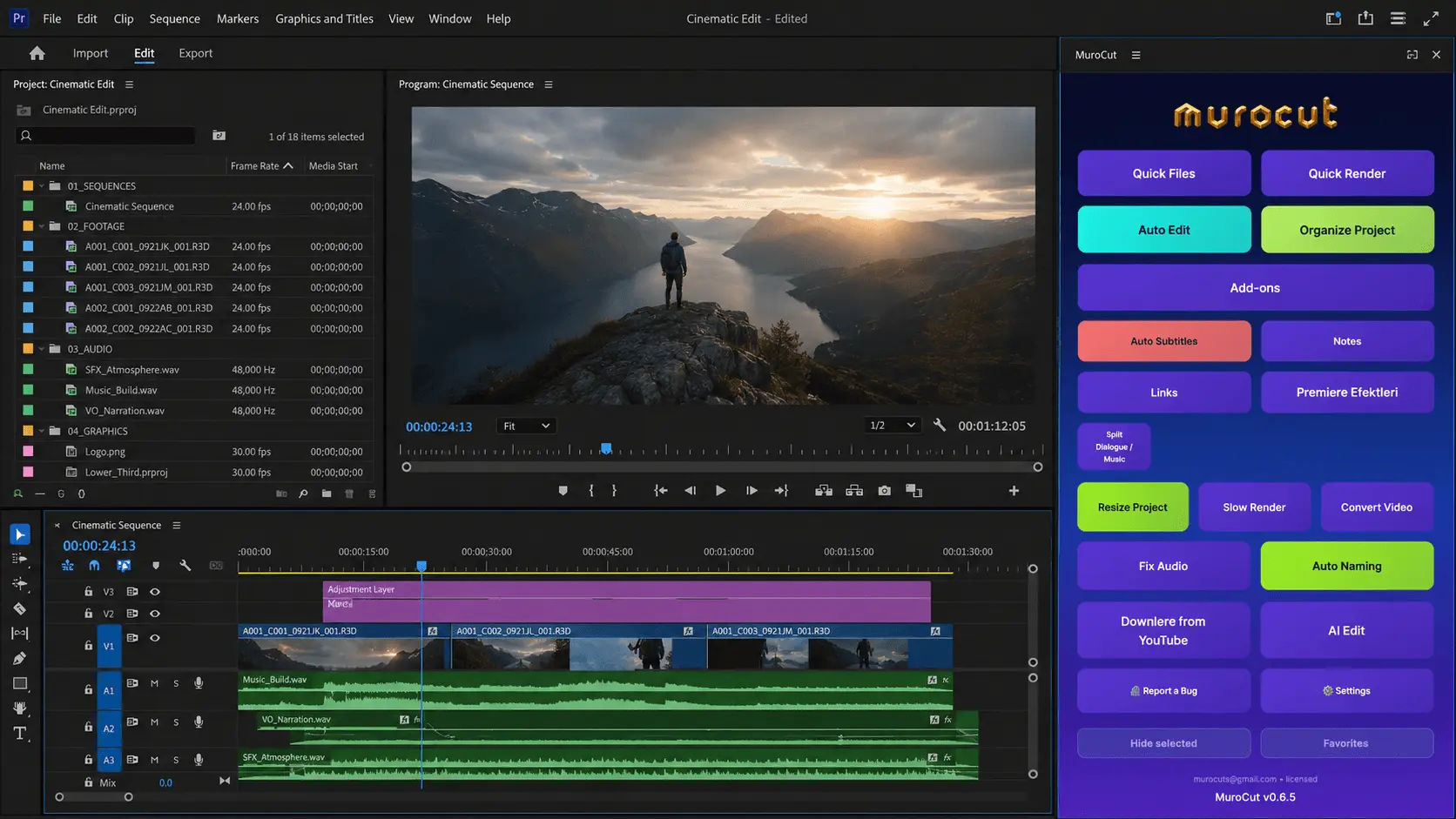
Yapay zekâ destekli kurgu, altyazı, ses ve proje araçları. İhtiyacınız olan her şey Adobe Premiere Pro içinde, tek panelde.
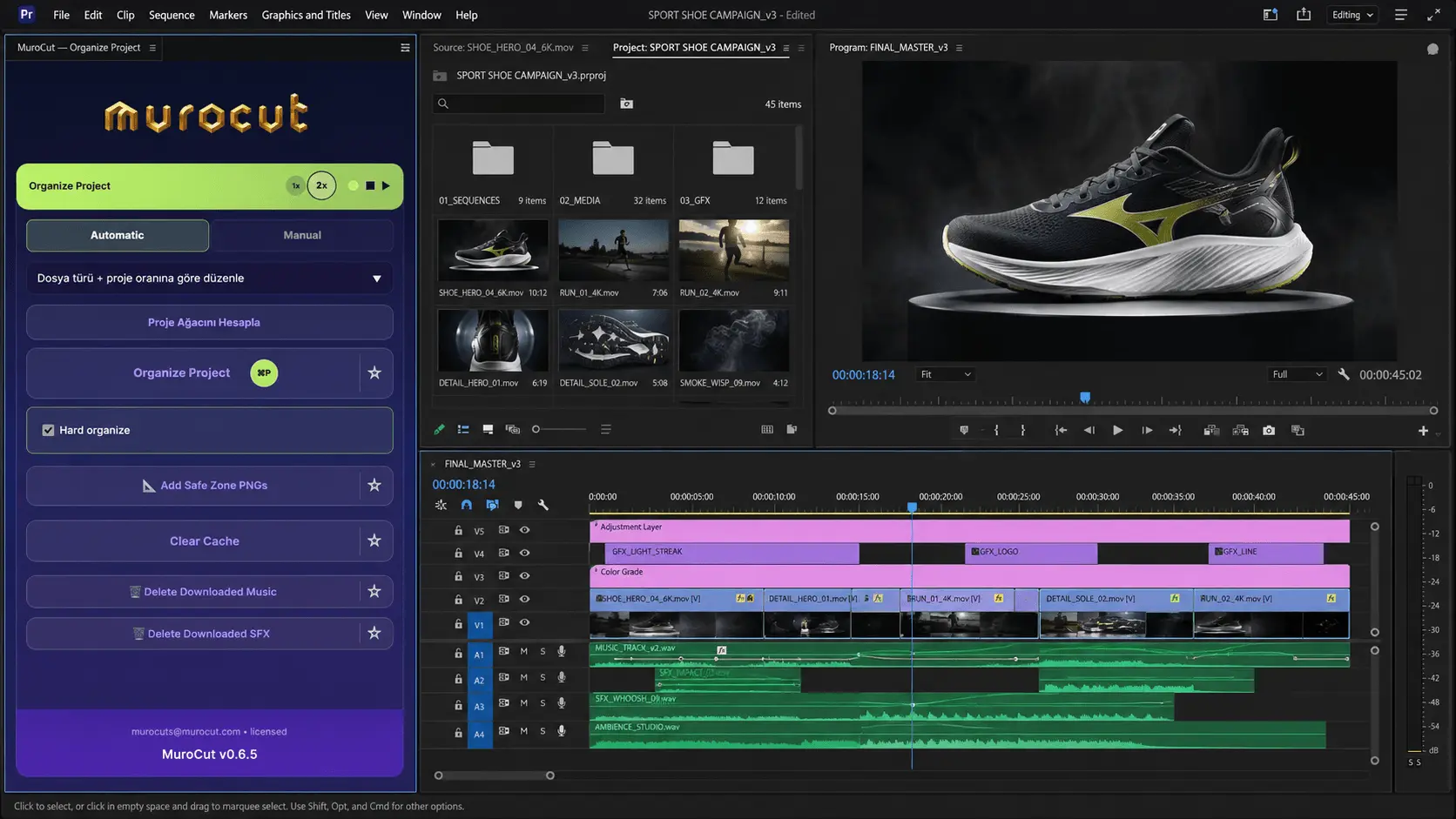
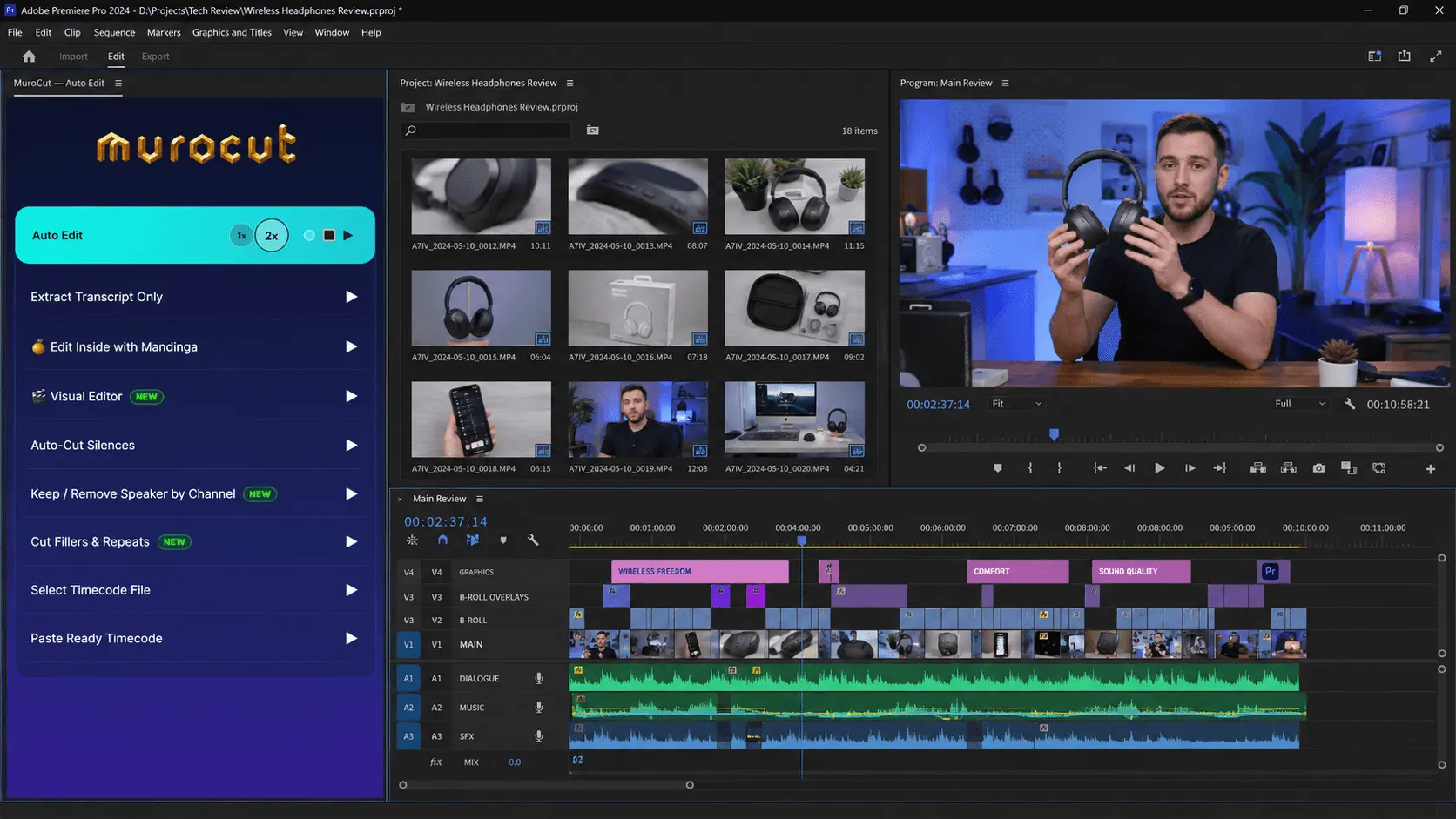
Kurgucuların en çok kullandığı araçlar. Hepsi Premiere Pro’nun içinde, zaten açık olan sekansınıza uygulanır.
Yapay zekâ konuşmayı çözer, yazım denetimli altyazıları zaman çizelgesine yerleştirir. Türkçe ve diğer dillerde.
Otomatik Kesim boşlukları, dolgu kelimeleri ve tekrarları temizler; kurguya temiz bir zaman çizelgesiyle başlarsınız.
Gürültüyü azaltın, seviyeleri dengeleyin, konuşmayı tek seferde parlatın.
Yatay kurgunuzu baştan kurmadan kare ve dikey sürümlere dönüştürün.
Full Otomatik Edit uzun görüntüyü analiz eder, hedef süreye indirir ve kurguyu kurar.
Tek videodan yüzlerce sekansa kadar her şeyi tek tuşla, sırayla render edin.
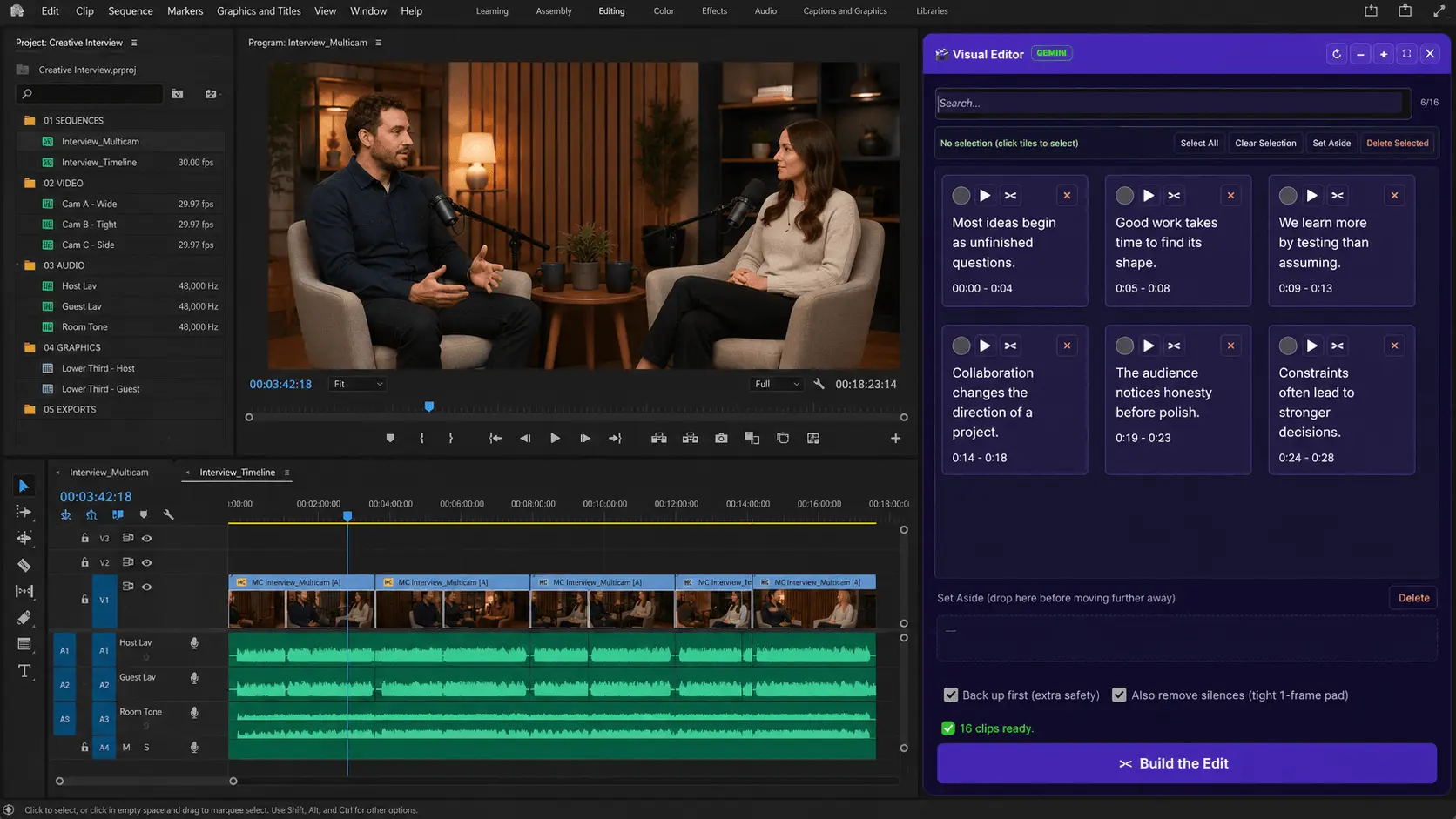
Premiere Pro’daki MuroCut paneli, aynı yerleşim mantığıyla burada. Karolara tıklayın, boyutlandırın, sürükleyin, gizleyin — paneli daraltıp genişleterek nasıl uyum sağladığını görün.
Kurgucuların en çok kullandığı araçlar. Hepsini panelde hemen deneyin, tamamını Özellikler sayfasında inceleyin.
MuroCut, en basitinden en zoruna tüm video projelerinizi dörtte bir sürede tamamlamanız için size zaman kazandırır.
Paket kademesi yok, ek satın alma yok. Yeni araçlar eklendikçe ek ücret olmadan sizin.
Kendi rakamlarınızı girin. Hesap, sizin seçtiğiniz zaman tasarrufu oranıyla yapılır.
Ödemeyi Stripe alır; lisansınız ödemeden hemen sonra hesabınızda etkinleşir.
Ödeme Stripe üzerinden alınır. Kart bilgileriniz sunucularımıza hiç ulaşmaz.
Hesabınızdan istediğiniz zaman iptal edin. Soru yok, taahhüt yok.
Ödeme tamamlandığı an lisansınız hazır.
murat@murocut.com adresine yazın, ekip doğrudan size dönsün.
Premiere Pro için aynı araçlar artık Windows’ta da. Lisansınızı alın; macOS ya da Windows sürümünü hesabınızdan indirin.
MuroCut, macOS ve Windows’ta Adobe Premiere Pro için geliştirilmiş bir paneldir. Altyazı oluşturma, sessizlikleri kesme, sesi iyileştirme ve projeyi farklı en-boy oranlarına uyarlama gibi tekrarlayan kurgu işlerini otomatikleştirir.
Her şey alıştığınız Premiere Pro çalışma alanının içinde gerçekleşir; böylece kurgucular rutin adımlara daha az, hikâyeye daha çok zaman ayırır.
Uygulama değiştirmeye gerek yok. MuroCut, kurgu çalışma alanınızda bir panel olarak çalışır.
Panelden veya web sitesinden gönderilen geri bildirimler doğrudan ekibe ulaşır.
MuroCut yeni araçlar ve düzeltmelerle düzenli olarak güncellenir.
MuroCut’ı geliştiren ekip. Kartlara tıklayarak özgeçmişleri görün.
Lisans, fatura, teknik destek ve iş birliği talepleriniz için doğrudan e-posta gönderin. Genellikle 24 saat içinde yanıt veriyoruz. Kurumsal talepler için konu satırına “Kurumsal” yazın.
murat@murocut.com →Lisansınızı alın, MuroCut’ı Premiere Pro’ya ekleyin ve ilk otomatik kurgunuzu bugün yapın.