Hi everyone, today……with MuroCutwe edit faster.
Subtitles that write themselves
AI transcribes your speech and places spell-checked captions on the timeline, in Turkish and other languages.
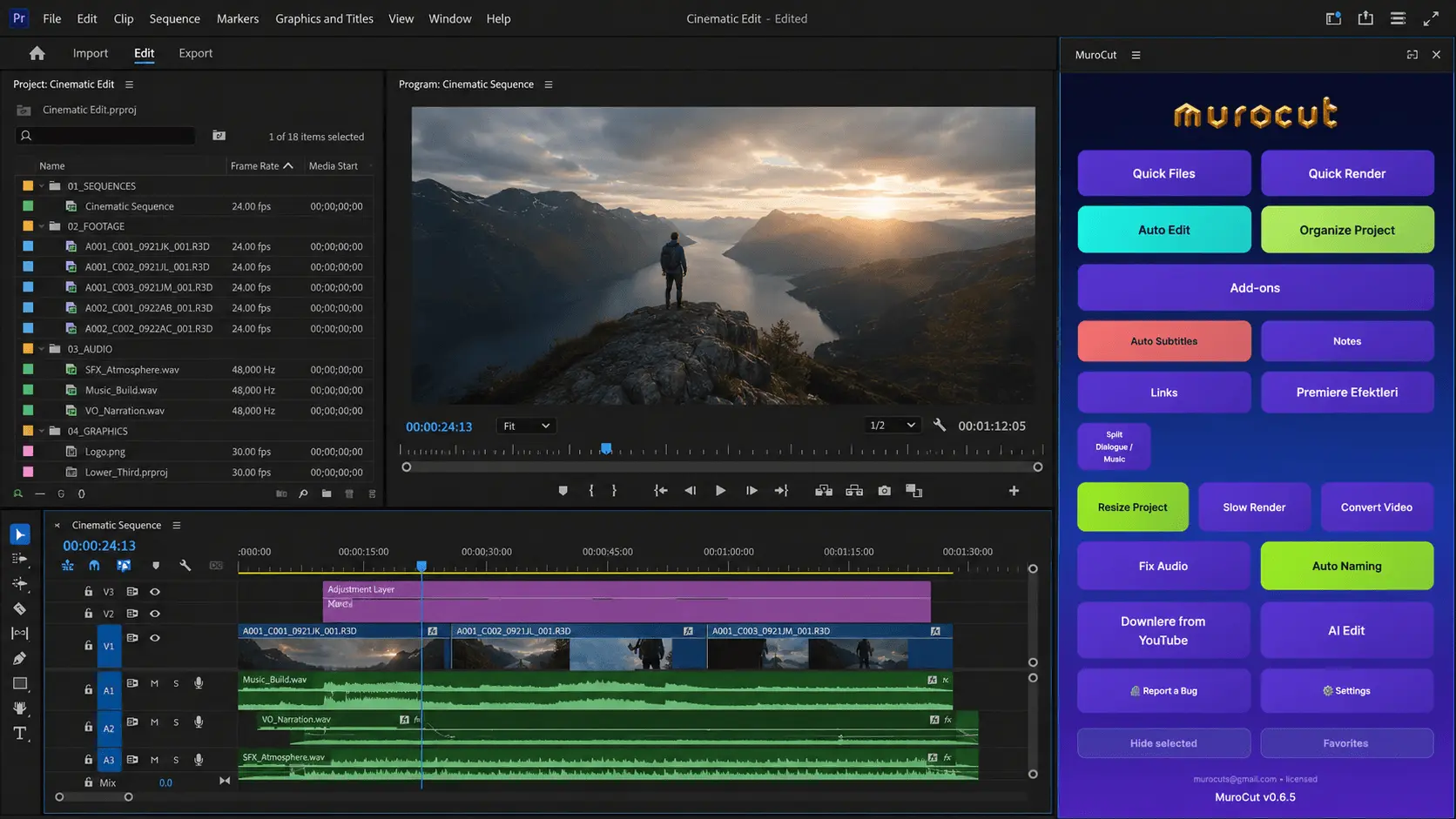
AI-powered editing, captions, audio and project tools. Everything you need inside Adobe Premiere Pro, in a single panel.
The tools editors use most. They all run inside Premiere Pro, on the sequence you already have open.
AI transcribes your speech and places spell-checked captions on the timeline, in Turkish and other languages.
Auto Cut removes pauses, filler words and repeats, so you start from a clean timeline.
Reduce noise, balance levels and polish dialogue in a single pass.
Turn a landscape edit into square and vertical versions without rebuilding it.
Full Auto Edit analyzes long footage, trims it to your target length and builds the cut.
Render one video or hundreds of sequences in order, with a single press.
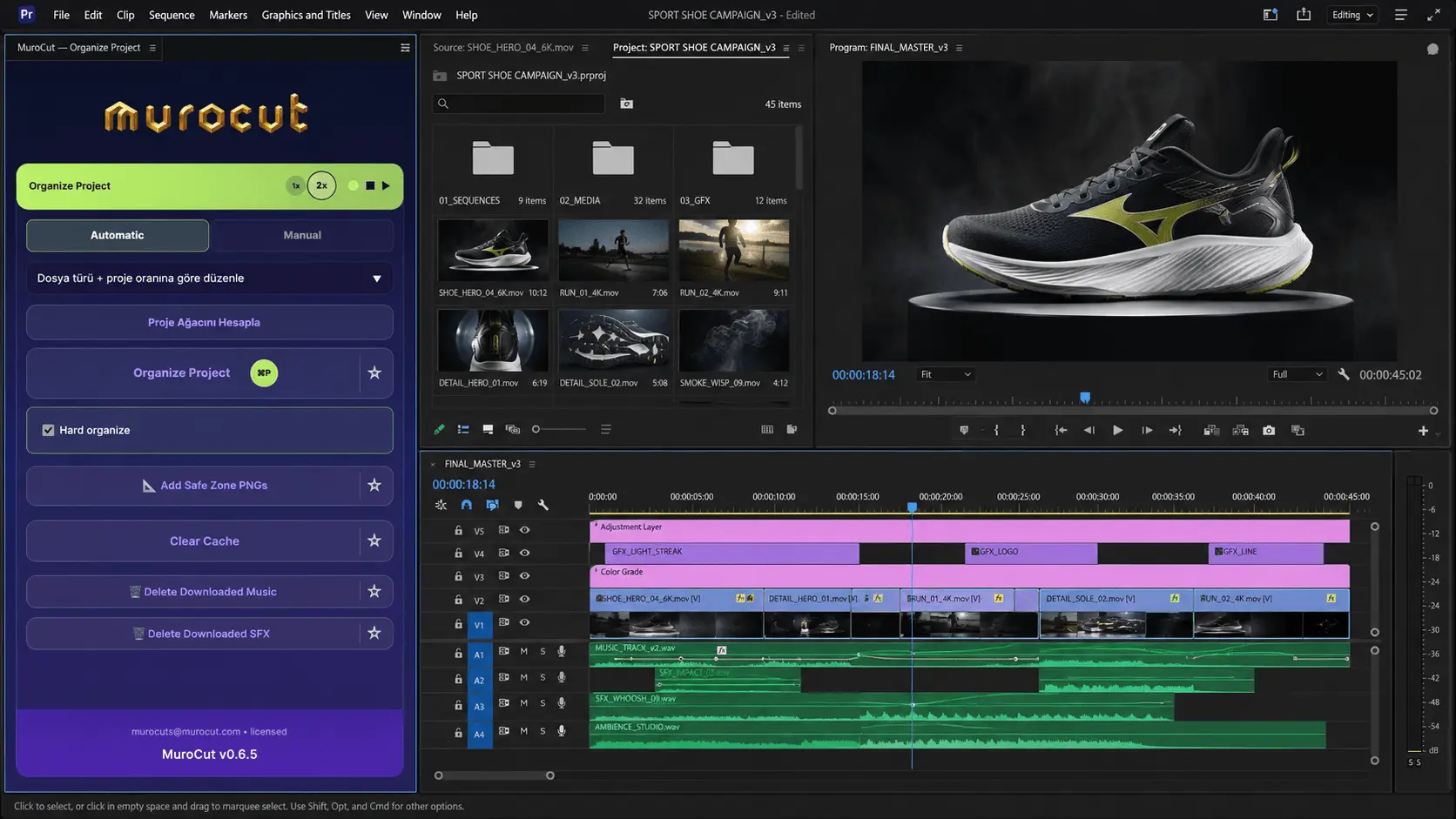
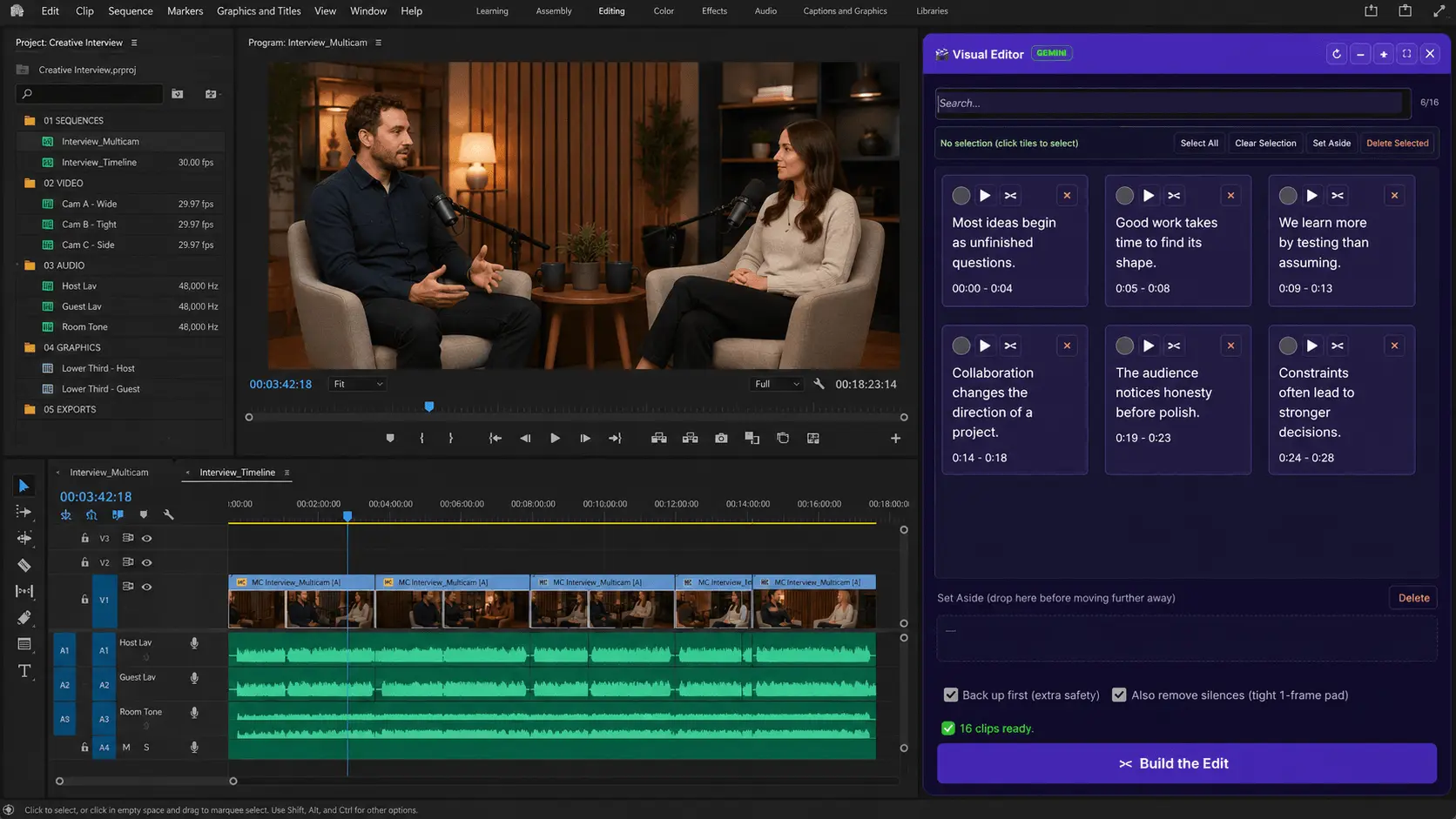
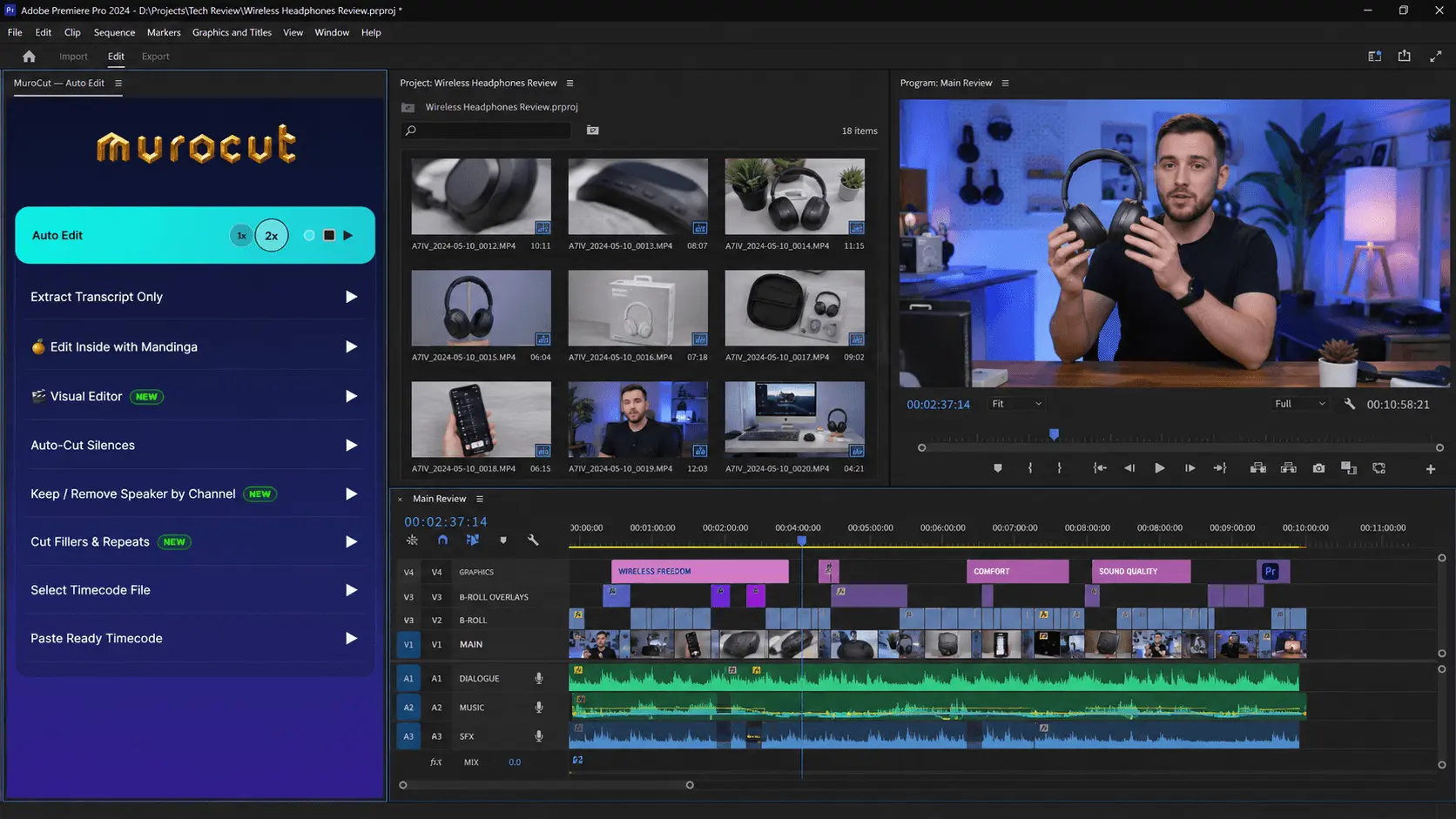
The MuroCut panel from Premiere Pro, with the same layout logic, right here. Click tiles, resize, drag, hide — narrow and widen the panel to see how it adapts.
The tools editors reach for most. Try any of them in the live panel, or browse the full list on the Features page.
From the simplest edits to the most demanding video projects, MuroCut helps you finish in a quarter of the time.
No tiers, no add-on purchases. New tools are yours at no extra cost as they ship.
Enter your own numbers. The estimate uses the time-saving rate you choose.
Payment is handled by Stripe; your license activates in your account right after checkout.
Processed by Stripe. Your card details never reach our servers.
Cancel anytime from your account. No questions, no lock-in.
Your license is ready the moment payment completes.
Write to murat@murocut.com and the team answers you directly.
The same Premiere Pro tools, now on Windows too. Get your license and download the macOS or Windows version from your account.
MuroCut is a panel for Adobe Premiere Pro on macOS and Windows. It automates repetitive editing tasks such as creating subtitles, removing silences, enhancing audio and adapting projects to different aspect ratios.
Everything happens inside the Premiere Pro workspace you already use, so editors can spend less time on routine steps and more time on the story.
No switching apps. MuroCut works as a panel in your editing workspace.
Feedback sent from the panel or the website reaches the team directly.
MuroCut is updated regularly with new tools and fixes.
The team building MuroCut. Click a card to see the résumé.
For licensing, invoices, technical support and collaborations, email us directly. We typically respond within 24 hours. For enterprise requests, include “Enterprise” in the subject line.
murat@murocut.com →Get your license, add MuroCut to Premiere Pro and make your first automatic edit today.